On-device speech
Local Whisper transcribes you. Kokoro neural TTS answers in-process, with native Windows SAPI as an option. No audio ever leaves the machine.
Whisper STT · Kokoro TTSFrom the LYNS family · Windows · v1.0.0
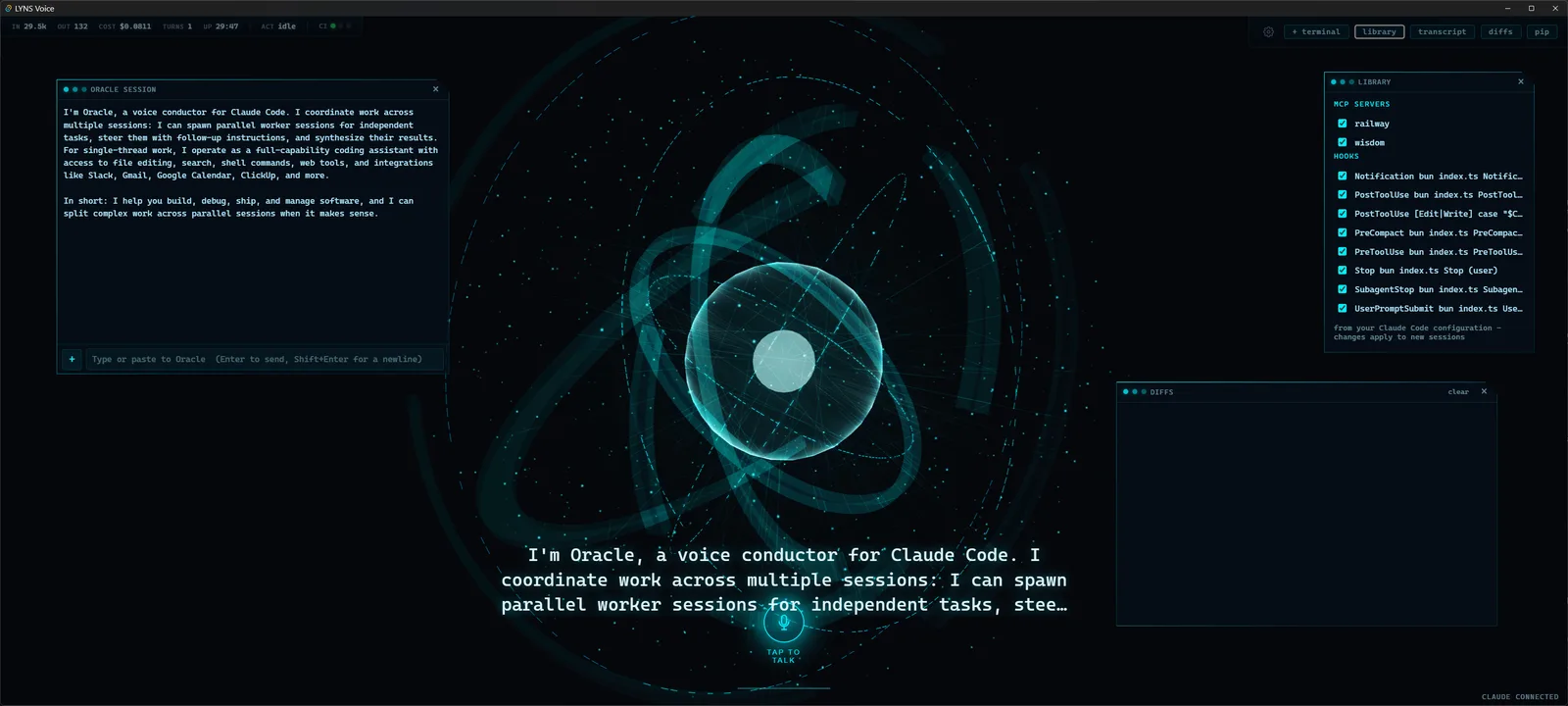
LYNS Voice is a hands-free desktop orchestrator for Claude Code. Speak with Oracle: your words go in, working code and a spoken reply come out. Every word is processed on your machine.
Live render: the same Three.js orb that ships in the app.
The loop
LYNS Voice turns Claude Code into a conversation: it hears you, works, answers out loud, and listens again.
Tap to talk, or just say Oracle with the optional wake word. The mic meter confirms it hears you.
Voice activity detection notices when you stop talking and sends the request. No hotkey, no submit button.
The claude CLI runs a real coding session in your project. The orb thinks; the activity panel streams every tool it uses.
Replies are spoken sentence by sentence as they stream, with gapless neural synthesis. The orb flares on every word.
The loop rearms itself. Interrupt anytime with Escape, or keep talking hands-free for the whole session.
Features
Local Whisper transcribes you. Kokoro neural TTS answers in-process, with native Windows SAPI as an option. No audio ever leaves the machine.
Whisper STT · Kokoro TTSA holographic Three.js orb with four live states: Idle, Listening, Thinking, Speaking, plus mood tints from Claude itself. Three themes: cyan, aurora, ember.
You are looking at itAlt+N spawns parallel Claude sessions, each in its own panel. The primary voice session can propose and steer a whole fleet.
Alt+N · fleet cost meterPer-session terminal views over genuine ConPTY PowerShell, with echo, ANSI, and working resize. Watch Claude work, or take the wheel yourself.
ConPTY · per sessionEvery Edit and Write that Claude makes streams into a floating, syntax-highlighted diff panel, live as it lands.
Alt+DThe MCP servers and hooks you already configured for Claude Code appear automatically, visible and one-click toggleable per session.
MCP · hooksShrink to a 180 by 180 always-on-top orb. Park it in a corner of your screen and keep the conversation going while you work.
PiP · always on topClaude runs with an explicit tool allowlist and a denylist, never bypassPermissions. Every tool call is shown in the activity panel.
201 unit tests · 16 e2eLocal first
The only things that ever leave your machine: the claude process doing its job, and a one-time, checksum-verified download of the speech models. That is the whole list.
Speech recognition runs in-process on your CPU with whisper.cpp. Your voice is transcribed on the machine it was spoken to.
Kokoro synthesizes the reply inside the app. No cloud voices, no audio uploads, no per-character bills.
The app's own webview allows no remote origins at all. There is no CDN, no telemetry, and no analytics beacon to phone home.
No signup, no API key stored. LYNS Voice drives the claude CLI you already have, with the login you already did.
Getting started
LYNS Voice_1.0.0_x64-setup.exeDownload
Free and open source under MIT. Windows today, macOS on the way.
FAQ
No. Speech recognition (local Whisper) and speech synthesis (Kokoro, or native Windows SAPI) both run on your machine. The only network traffic is the claude process doing its normal work and a one-time, checksum-verified download of the speech models.
No key is stored by LYNS Voice. You need the claude CLI installed and authenticated; LYNS Voice drives it with the login you already have.
The v1 installer is not code-signed, so SmartScreen shows a one-time warning. Choose More info, then Run anyway. Checksums are published with every release so you can verify the download.
Windows today. A macOS port is on the way: the speech stack, terminal layer, and UI are already cross-platform. Linux is not planned for v1.
Same family, same Oracle. LYNS Voice is a standalone product at lyns.app; the LYNS Managerial IDE lives at lyns.dev. You do not need one to use the other.
Yes. Alt+N spawns background sessions in parallel, each with its own panel, model, and effort level, and the fleet cost meter tracks spend across all of them.
The app is free and MIT licensed. Claude usage is billed through your own Claude Code plan or key, and the app shows live token and cost telemetry per session.